Components
Welcome!
Drag to pan. Pinch to zoom. Click items to expand.
1 → Components2 → Books3 → Photos
Scribble Underline
Hand-drawn style underline with SVG wobble filter.
PREVIEWDesign w/
<> TSX
use the "wobble" filter
n-wobble">
nFrequency=0.04 0.0
scale="1.5" />
Handwritten Highlight
Marker-style highlight with CSS transforms.
PREVIEWText Hi
<> TSX
highlight
nt::before {
highlight-color);
x 15px 225px 15px /
225px 15px 255px;Text Highlighter
Animated marker effect on scroll.
PREVIEWProducts built w/
<> TSX
und gradient
linear-gradient(${col
inView ? "100% 100%"
round-size 0.5s ease-Sticky Note
Interactive notes with tape and peel animation.
PREVIEW
UX
Research
Research
<> TSX
2 h-4 bg-yellow-100
nsform -rotate-12°>
scroll
te 0.9s ease-out forwa
Daisy Button
Neo-brutalist press effect.
PREVIEW
<> TSX
rutalist Style'
x 0px 0px rgba(0,0,0,
te(4px, 4px);
x 0px 0px rgba(0,0,0,
Connect Dropdown
Spring-animated dropdown with staggered reveals.
PREVIEW
<> TSX
y: 0, y: -10, scale:
y: 1, y: 0, scale: 1
Theme Toggle
Stunning interactive dark to light mode toggle.
PREVIEW
<> TSX
const ThemeToggle = () => {
  const [isDark, setIsDark] = useState(true);

  return (
    <button
      onClick={() => setIsDark(!isDark)}
      style={{
        position: "relative",
        display: "flex",
        alignItems: "center",
        width: 64,
        height: 32,
        borderRadius: 999,
        padding: 4,
        cursor: "pointer",
        transition: "all .3s ease",
        background: isDark ? "#1e1b4b" : "#38bdf8",
        border: `1px solid ${isDark ? "#312e81" : "#7dd3fc"}`
      }}
    >
      <span
        style={{
          display: "flex",
          alignItems: "center",
          justifyContent: "center",
          width: 24,
          height: 24,
          borderRadius: 999,
          background: "#fff",
          transition: "all .3s cubic-bezier(0.25, 1, 0.5, 1)",
          transform: isDark ? "translateX(30px)" : "translateX(0px)",
          boxShadow: "0 2px 4px rgba(0,0,0,0.2)"
        }}
      >
        {isDark ? (
          <svg width="12" height="12" viewBox="0 0 24 24" fill="#6366f1" stroke="#6366f1" strokeWidth="2">
            <path d="M21 12.79A9 9 0 1 1 11.21 3 7 7 0 0 0 21 12.79z" />
          </svg>
        ) : (
          <svg width="12" height="12" viewBox="0 0 24 24" fill="#eab308" stroke="#eab308" strokeWidth="2">
            <circle cx="12" cy="12" r="5" />
            <line x1="12" y1="1" x2="12" y2="3" />
            <line x1="12" y1="21" x2="12" y2="23" />
            <line x1="4.22" y1="4.22" x2="5.64" y2="5.64" />
            <line x1="18.36" y1="18.36" x2="19.78" y2="19.78" />
            <line x1="1" y1="12" x2="3" y2="12" />
            <line x1="21" y1="12" x2="23" y2="12" />
            <line x1="4.22" y1="19.78" x2="5.64" y2="18.36" />
            <line x1="18.36" y1="5.64" x2="19.78" y2="4.22" />
          </svg>
        )}
      </span>
      <span style={{ position: "absolute", right: 8, fontSize: 9, opacity: isDark ? 1 : 0 }}>✨</span>
      <span style={{ position: "absolute", left: 8, fontSize: 9, opacity: isDark ? 0 : 1 }}>☁️</span>
    </button>
  );
};Books
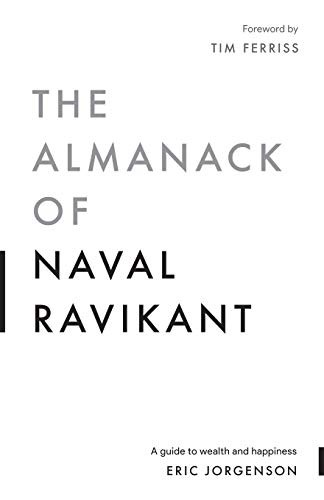
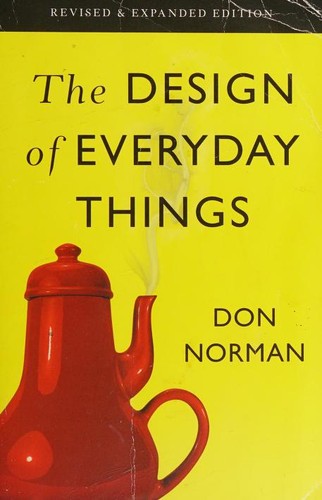

Books that shaped my thinking on design, wealth & self-improvement
Photography
🏔️
Captured #1
🌊
Captured #2
🌅
Captured #3
🏙️
Captured #4
🌿
Captured #5
🌸
Captured #6
📸
Moments captured with intention